
In the WordPress world, two major forces face off when it comes to page editing: WordPress’s built-in editor, Gutenberg, and the popular third-party plugin Elementor. Although both offer powerful tools for modern web design, they bring different solutions to different needs. In this comprehensive comparison, we will help you work out which editor is better suited to your projects.
For WordPress site owners and web designers, this decision is not just a choice of tool; it is a strategic choice that shapes the future direction of the site. Both platforms have their own advantages and limitations. Making the right choice takes a detailed analysis.
Gutenberg: WordPress’s Built-In Power
What Is Gutenberg?
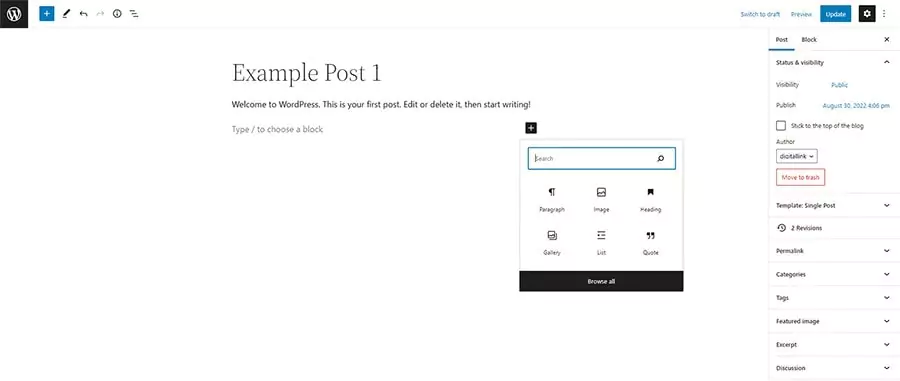
Gutenberg is the official WordPress editor that arrived with WordPress 5.0 and uses a block-based editing system. The heart of WordPress since 2018, this editor replaced the traditional text editor and offers a more visual and flexible content creation experience.
Gutenberg’s biggest advantage is that it is a native part of WordPress. This minimizes the chance of compatibility problems and spares your site extra overhead that could hurt its performance. Thanks to the block system, you can build your content in a modular way and customize each block individually.
Advantages of Gutenberg
Performance and Speed: Because it is WordPress’s built-in editor, there is no need to install an extra plugin. This has a positive effect on page loading speed and results in cleaner code.
Free and Fully Integrated: Gutenberg is completely free and is continuously improved with WordPress updates. There are no extra license costs or subscription fees.
Advanced Block System: In addition to core blocks such as paragraph, image, gallery, button and columns, you can also use custom blocks created by third-party developers.
SEO-Friendly: Since it is part of WordPress’s native structure, it is in an advantageous position for search engine optimization.
Limitations of Gutenberg
Gutenberg’s design flexibility can fall short, especially for complex layouts. Creating advanced animations, popups and interactive elements may require additional coding knowledge.
Elementor: The Symbol of Design Freedom
What Is Elementor?
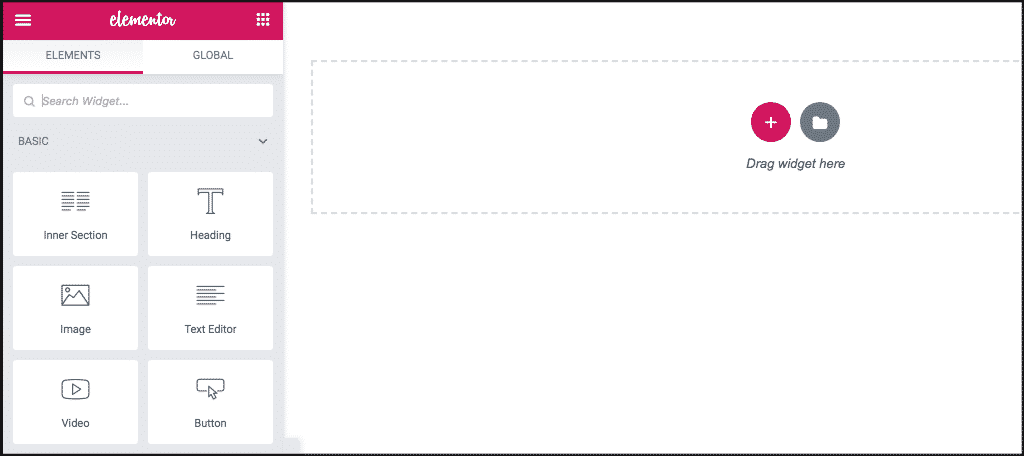
Elementor is a powerful page builder released in 2016 that works on the drag-and-drop principle. With more than 5 million active installations, this platform is preferred especially for visually design-driven projects.
Elementor’s most striking feature is its live preview. You can see your changes instantly and test how they will look on different devices. This feature speeds up the design process and helps you achieve more professional results.
Advantages of Elementor
Visual Design Power: Elementor lets you create pixel-perfect designs. It offers advanced typography control, the ability to add custom CSS and responsive design tools.
Ready-Made Templates and Blocks: Hundreds of professional design templates and a library of pre-built blocks are available. These resources are a big advantage for rapid prototyping and achieving a professional look.
Advanced Widgets: With advanced widgets such as form builder, slider, testimonial and pricing table, you can create interactive pages.
Theme Independence: Designs built with Elementor are not affected by theme changes. This keeps your site’s visual consistency intact.
Disadvantages of Elementor
Performance Impact: Elementor loads additional CSS and JavaScript files. This can lead to performance problems, especially on sites using shared hosting.
Cost: Most of the advanced features are in the Pro version. The annual license fee can be an obstacle for projects with a limited budget.
Vendor Lock-in: Content created with Elementor cannot be displayed properly once you remove the plugin. This makes it harder to move to a different platform in the future.
Which One Should You Choose in Which Situation?
Ideal Scenarios for Gutenberg
Content-Focused Sites: For text-heavy projects such as blogs, news sites and corporate content pages, Gutenberg is the ideal choice. It offers simple, fast and effective solutions.
Performance Priority: For projects where site speed is critical, Gutenberg’s lightweight structure is an advantage.
Budget Constraints: For projects looking for a completely free solution, Gutenberg is an excellent starting point.
Long-Term Sustainability: Because it is WordPress’s official editor, it is a safe choice for long-term projects.
Ideal Scenarios for Elementor
Design-Driven Projects: For those who want to build visually striking, custom-designed sites, Elementor is indispensable.
Ecommerce and Landing Pages: Advanced design tools are necessary for conversion-focused pages, product presentation pages and marketing materials.
Rapid Prototyping: Ideal for agency work where you need to show clients quick mockups.
Limited Technical Knowledge: It gives designers with no coding knowledge the chance to achieve professional results.
Hybrid Approach: Using Both Together
In some cases, it is possible to benefit from the advantages of both editors. A hybrid approach can be adopted by using Gutenberg on content pages and Elementor on pages that need custom design. This method both optimizes performance and provides design flexibility.
Conclusion and Recommendations
The choice between Elementor and Gutenberg depends on the specific needs of your project. Choose Gutenberg for content-focused, fast and sustainable solutions; choose Elementor for visual design power and advanced customization options.
In the decision-making process, it is critically important to consider your site’s purpose, your target audience, your performance expectations and your budget. Both platforms are strong representatives of the WordPress ecosystem, and when used correctly you can deliver successful projects.