
In the modern web world, site speed is a critical factor that directly affects not only user experience but also your SEO ranking and conversion rates. According to Google’s research, 53% of visitors abandon your site when page load time exceeds 3 seconds. These figures show just how important website performance is.

Speeding up a website is a comprehensive process that covers many different areas, from technical optimization and hosting choice to code quality and image optimization. When the right strategies are applied, it is possible to increase your site speed by up to 50% and raise user satisfaction significantly.
In this guide, we will cover proven performance-improvement methods for WordPress and websites in general in detail. We will offer practical solutions you can apply whatever your level of technical knowledge.
What Are the Ways to Improve Website Performance?
The core methods for improving website performance fall into five main categories: hosting and server optimization, image and media optimization, caching strategies, code optimization and database management. Each of these methods targets a different dimension of your site and contributes to overall performance.
In the performance improvement process, it is critically important to first analyze your current situation. After identifying which areas need the most improvement, you should proceed step by step, starting with the optimizations that will have the greatest impact.
The Impact of Site Speed on Business Results
SEO and Search Engine Rankings
Google began using site speed as an official ranking factor in 2010. With the Core Web Vitals update, the importance of this criterion has grown even further. Fast sites have a better chance of appearing higher in search results.
User Experience and Conversion Rates
According to analyses by Amazon, every 100ms improvement in page load time delivers a 1% increase in sales. These figures show how critical performance optimization is for ecommerce sites.
Hosting and Server Optimization
Choosing Quality Hosting
The foundation of website performance is quality hosting. Consider VPS or managed WordPress hosting instead of shared hosting. SSD storage, PHP 8+ support and up-to-date server technologies are essential requirements for performance.
Using a CDN (Content Delivery Network)
CDN services distribute your site’s static content across servers around the world and serve visitors from the location closest to them. Using services such as Cloudflare, MaxCDN or AWS CloudFront can significantly increase your site speed.
Optimizing Server Response Time
Your TTFB (Time to First Byte) should be under 200ms. You can shorten it through server configuration, database optimization and application-level improvements.
Image and Media Optimization
Image Compression Techniques
High-resolution images are one of the biggest enemies of site speed. By using the WebP format, you can reduce file size by 25-50%. Tools such as TinyPNG, Squoosh or ShortPixel for WordPress provide automatic compression.
Implementing Lazy Loading
The lazy loading technique, which loads images further down the page only when the user reaches that area, dramatically reduces the initial page load time. Since modern browsers support native lazy loading, simply adding the loading="lazy" attribute to your images may be enough.
Responsive Images
Use image sets optimized for different screen sizes. With the srcset attribute, save bandwidth by serving small images on mobile devices and large ones on desktop.
Caching Strategies
Browser Caching
Set appropriate cache headers for your static files. Apply a long-term cache policy (1 year) for CSS, JavaScript and images, and a short-term one (1 hour to 1 day) for dynamic content.
Cache Plugins for WordPress
Plugins such as WP Rocket, W3 Total Cache and LiteSpeed Cache provide page caching, object caching and database caching. These plugins reduce server load by converting dynamic content into static HTML files.
Database Caching
Memory-based cache systems such as Redis or Memcached speed up database queries and make efficient use of server resources.
Code Optimization
CSS and JavaScript Minification
By removing unnecessary whitespace, comments and formatting, file sizes can be reduced by 20-30%. Plugins such as Autoptimize and Asset CleanUp automate this process.
Implementing Critical CSS
Loading the CSS needed for above-the-fold content inline and loading the remaining styles asynchronously improves page load time.
JavaScript Optimization
Remove unnecessary JavaScript files and use the defer and async attributes correctly. Prefer vanilla JavaScript or lighter alternatives over heavy libraries such as jQuery.
Database and System Optimization
Cleaning Up the WordPress Database
Spam comments, revision records, temporary files and unused plugin data bloat your database. Clean it regularly with plugins such as WP-Optimize and Advanced Database Cleaner.
Plugin and Theme Optimization
Every plugin adds extra load to your site. Deactivate unnecessary plugins and prefer specific plugins over all-in-one solutions that do many things. Lightweight, performance-focused themes should also be a priority when choosing a theme.
Updating the PHP Version
PHP 8.x versions run 20-30% faster than previous versions. You can ask your hosting provider for support for the latest PHP version.
Mobile Optimization
Responsive Design
Adopt a mobile-first approach. Hide unnecessary elements on mobile devices and use buttons of suitable sizes for touch interactions.
AMP (Accelerated Mobile Pages)
Creating AMP versions for news sites and blog posts helps you stand out in mobile search results and delivers much faster loading.
Performance Measurement Tools
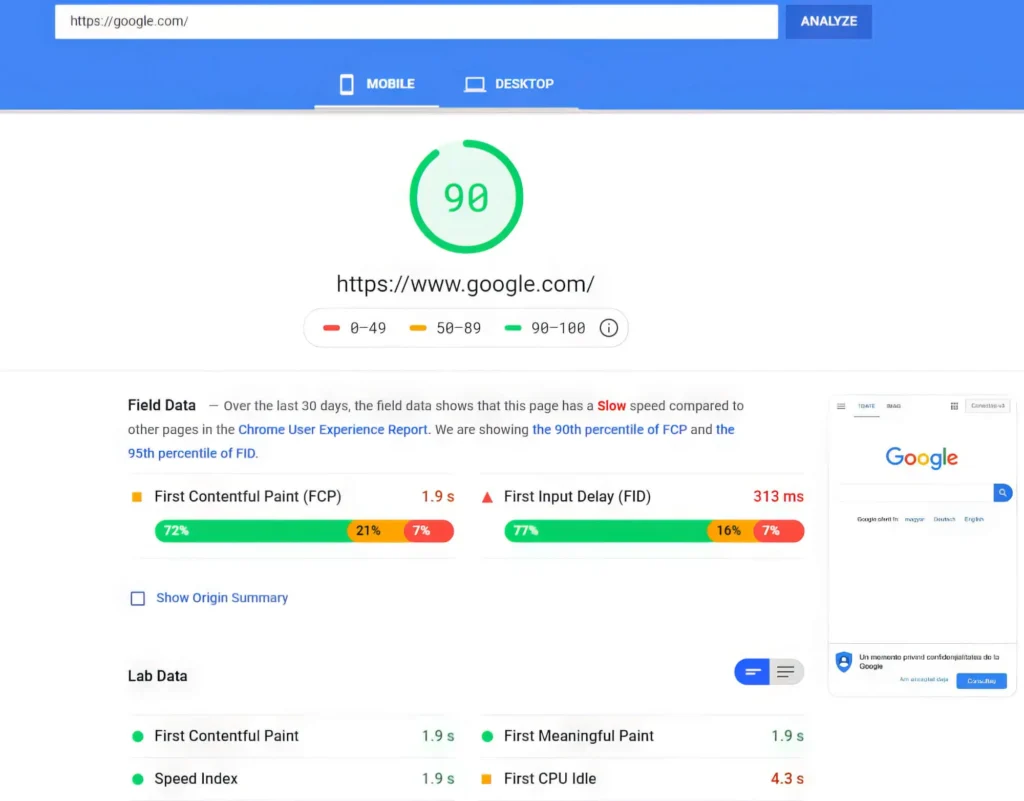
Google PageSpeed Insights
Google’s official performance testing tool reports both technical metrics and user experience scores in detail.
GTmetrix and WebPageTest
These tools offer waterfall analysis, performance history and detailed optimization recommendations.
Core Web Vitals Metrics
Regularly track your LCP (Largest Contentful Paint), FID (First Input Delay) and CLS (Cumulative Layout Shift) values.
Continuous Monitoring and Improvement
Website performance is not something you do once and forget; it is a process that must be monitored continuously. Content additions, plugin updates and traffic growth can all affect your performance.
Create weekly performance reports, track critical metrics and evaluate user feedback. Run A/B tests to determine which optimizations are most effective.
Conclusion
Although website performance optimization may look like a complex process requiring technical expertise, with the right tools and strategies it is a goal anyone can achieve. By applying the methods we have shared in this guide step by step, you can significantly increase your site’s speed, raise user satisfaction and improve your search engine ranking.
Remember that performance optimization is a reflection of the respect you show your users and of your professionalism. A fast website strengthens your brand image and gives you a competitive advantage.