
How to Build a Corporate Website with WordPress: A Comprehensive Guide
In today’s digital world, a corporate website has become indispensable for businesses that want to reach their customers and build a professional image. WordPress, the open-source content management system that powers more than 43% of all websites worldwide, is an excellent choice for a WordPress corporate website. In this article, we will look in detail at every stage of building a professional corporate website with WordPress, the points that need attention and the steps required for a successful project.
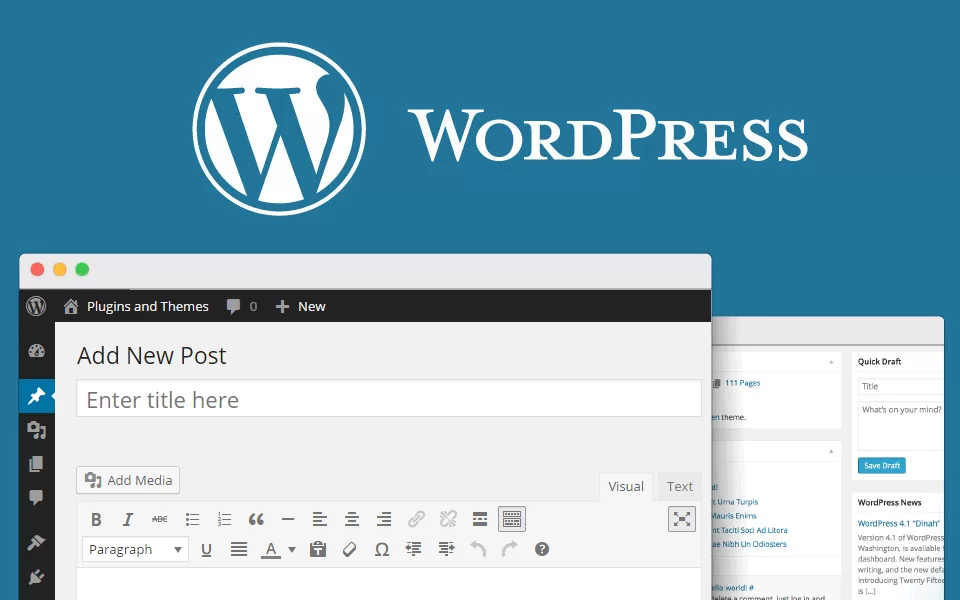
The Advantages of WordPress for Corporate Websites
There are many strong reasons why WordPress is the preferred choice for corporate projects. First of all, thanks to its user-friendly interface, even people with limited technical knowledge can manage content with ease. This allows companies to update their own content without constantly depending on web agencies.
In terms of scalability, WordPress is flexible enough to meet the needs of organizations of every size, from small businesses to Fortune 500 companies. The fact that global giants such as Microsoft, Sony and Disney use WordPress is the best proof of the platform’s reliability. In addition, thanks to its broad plugin ecosystem, every kind of functional requirement can be met, from e-commerce modules to CRM integrations, and from multilingual support systems to advanced analytics tools.
From a cost perspective, the fact that WordPress is open source significantly reduces the initial investment. With no license fees, you can direct your budget to the areas that create real value, such as hosting, design and customization. When it comes to SEO compatibility, WordPress also stands out with its clean code structure and search-engine-friendly URL structure.
The Planning Phase for a Corporate Website
Needs Analysis and Goal Setting
A successful corporate website project starts with detailed planning. As a first step, you need to define your company’s digital goals clearly. What is the primary purpose of your website? Do you want to build brand awareness, or are you aiming directly at sales? Who makes up your target audience, and what do they expect?
The answers to these questions will shape your site structure, your design choices and your content strategy. For example, for a B2B technology company, detailed technical documents and case studies will take center stage, whereas for a B2C fashion brand, visual richness and a fast shopping experience will be critical.
Competitor analysis is also very important at this stage. Study the successful examples in your industry, but instead of blindly copying them, identify the points they leave out and build your differentiation strategy. Carry out user experience research and try to understand how your potential customers use websites.
Choosing a Domain and Hosting
Choosing the right domain name and hosting service for a corporate website forms the foundation of your project. Your domain name should reflect your brand identity, be memorable and, if possible, be kept short. Although the .com extension is still the most trusted option, industry-specific extensions (such as .tech or .store) can also be considered.
When it comes to hosting, corporate projects should prefer a VPS or dedicated server over shared hosting. It is critical to choose a hosting provider that offers high traffic capacity, security features, regular backups and 24/7 technical support. Hosting packages that can work together with CDN services such as Cloudflare, include an SSL certificate and are optimized for WordPress should be the first choice.
WordPress Installation and Basic Configuration
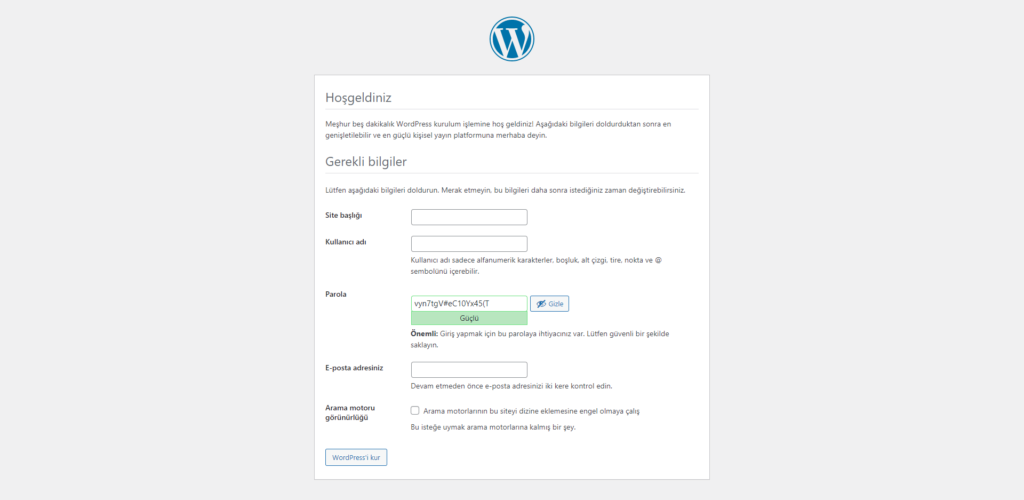
WordPress can be installed within a few minutes using the automatic installers in your hosting panel. Tools such as Softaculous or Fantastico offer one-click installation. If you prefer a manual installation, you can download the latest version from WordPress.org and upload it to your server via FTP.
During installation, it is important for security that you enter your database details correctly, set a strong administrator password and change the table prefix from the default wp_ value to something different. Once the installation is complete, don’t forget to switch WordPress to your preferred language as the first task.
Security Measures and Initial Settings
For a corporate website, security is a non-negotiable priority. As a first step, change the admin username and enable two-factor authentication. Install security plugins such as Wordfence or Sucuri to provide proactive protection against malicious attacks.
In the WordPress settings, change the permalink structure to an SEO-friendly format. The /%postname%/ structure is ideal for both users and search engines. Review the comment settings and activate the Akismet plugin to block spam comments. In the media settings, configure image sizes to suit your site’s design.
Choosing a Professional Corporate Theme
When choosing a theme for your corporate website, you should focus on functionality and performance rather than visual appeal. Prefer themes that have a responsive design, are speed-optimized, are updated regularly and are well documented. Buying premium themes from reliable sources such as ThemeForest, Elegant Themes or StudioPress will be a healthier investment in the long run.
Important points to look for when choosing a theme include page builder compatibility, WooCommerce support (if you are planning e-commerce), multilingual support and GDPR compliance. Themes that come with demo content speed up the setup process and offer a professional starting point.
Customization and Brand Identity Integration
Use the WordPress Customizer to adapt your theme to your corporate identity. Your logo, color palette and typography choices should be consistent with your brand guidelines. With visual page builders such as Elementor, Beaver Builder or WPBakery, you can design professional pages without needing any coding knowledge.
When customizing the header and footer areas, put user experience first. Your contact details, social media links and important page links should be easy to reach. With mega menu plugins, you can present even complex site structures in a user-friendly way.
Content Strategy and SEO Optimization
The content of your corporate website should reflect your professionalism and expertise. Express your company’s value proposition clearly on your home page. The About Us page should introduce your company story, your mission and vision, and your team members. In the services or products section, explain what you offer in a detailed but understandable language.
Add a blog section to showcase your industry expertise and attract SEO traffic. Producing content regularly shows both search engines and visitors that your site is alive and up to date. Case studies and customer testimonials increase your credibility. Pay attention to the use of images and video in your content, but don’t forget to optimize them so that they do not hurt page speed.
SEO and Performance Optimization
Use plugins such as Yoast SEO or Rank Math to carry out your on-page SEO optimizations. Write unique meta titles and descriptions for every page and use heading tags hierarchically. Create an XML sitemap and submit it to Google Search Console.
For page speed optimization, use caching plugins such as WP Rocket or W3 Total Cache. Serve images in WebP format and enable lazy loading. Run regular performance tests with tools such as GTmetrix or PageSpeed Insights. Pay particular attention to the Core Web Vitals metrics, because they directly affect Google rankings.
Maintenance, Updates and Continuous Improvement
The launch of your corporate website is not the end of the process but its beginning. Close security gaps by performing regular WordPress, theme and plugin updates. Set up automatic backup systems to guard against possible data loss. Plan daily or weekly backups with plugins such as UpdraftPlus or BackWPup.
Analyze your Google Analytics and Search Console data regularly. Which pages receive more traffic? How long do visitors stay on your site? What are your conversion rates? Make continuous improvements based on this data. Run A/B tests to compare the performance of different design and content variations.
Take user feedback into account and keep improving your site. Increase visitor engagement by integrating a live support system or a chatbot. Run regular security scans and check that your SSL certificate is still valid.
Wrapping Up Your WordPress Setup
Building a corporate website with WordPress can deliver extremely successful results with the right planning and execution. The platform’s flexibility, broad plugin ecosystem and community support offer ideal solutions for businesses of every size. Remember that a successful corporate website requires not only technical excellence but also user-focused design, quality content and continuous improvement.
By following the steps described in this guide, you can create a professional and effective corporate website. However, remember that every project has its own unique requirements. Customize and extend this basic structure according to your needs. When you use the possibilities WordPress offers properly, you will have built a strong digital presence that sets you apart from your competitors, impresses your customers and supports your business goals.