
Elementor, which has caused a revolution in the WordPress world, has radically changed the way we think about web design since 2016. Before Elementor, when you first tried to build a WordPress site, creating professional-looking pages without any coding knowledge seemed almost impossible. Although dozens of themes and plugins tried to solve design problems in that period, Elementor completely changed the approach to web design in the WordPress world. Today, with more than 5 million active installations, Elementor is not just a plugin but has become an indispensable part of the WordPress ecosystem.
Behind Elementor’s popularity lies the fact that it lets you build professional web pages with drag and drop, without needing any coding knowledge. But is using Elementor really the right choice for your business? In this post, we take a detailed look at what Elementor is, how it works and what advantages it can offer your business.
What Is Elementor and How Does It Work?
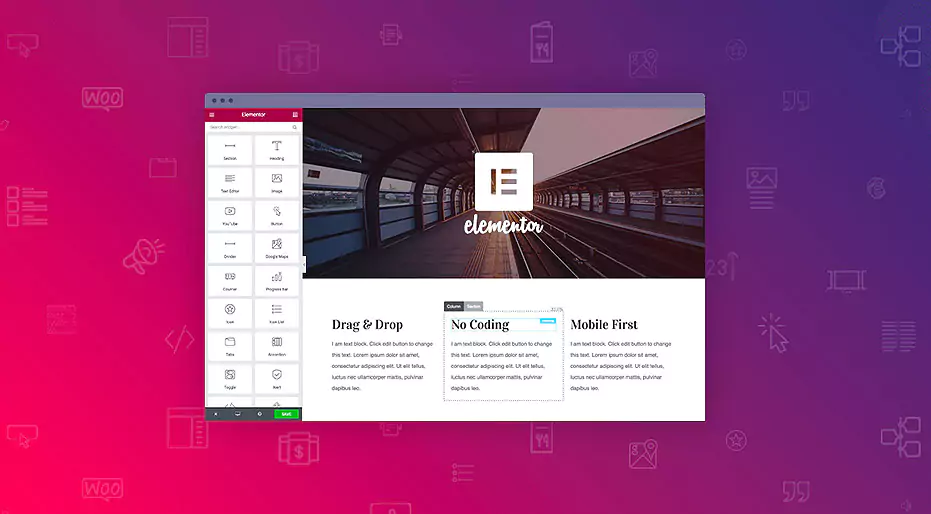
Elementor is a visual page builder developed for WordPress. Known in technical terms as a “front-end page builder“, this tool goes beyond WordPress’s standard editor and lets users design their pages while viewing them in real time. In other words, you see the changes you make instantly – which means it works on the “what you see is what you get” principle.
Elementor comes in two versions: a free version for basic needs and Elementor Pro for more advanced features. Even the free version includes more than 40 basic widgets, which may be enough for a simple website. With the Pro version, however, you get access to far more comprehensive tools, from a form builder and WooCommerce integration to a theme builder and popup design.
Elementor’s logic is quite simple: you divide your page into sections, columns and widgets. Sections are the largest building unit, columns divide the sections, and widgets make up the content (text, images, video, buttons, etc.). This modular structure makes the design process extremely flexible and lets you create almost any page layout you can imagine.
5 Key Advantages Elementor Offers Your Business
If, as a business owner or corporate executive, you believe your website must be both impressive and functional, Elementor stands out right here. Here are the 5 key advantages that using Elementor offers your business:
1. Saving Time and Money: In traditional web design processes, you may have to work with a team of designers and developers, hold dozens of meetings and wait for the process to be completed. With Elementor, you can significantly reduce that time and cost. You can make simple changes yourself, and for more complex jobs that require expertise, you will need outside support. It offers an advantage that saves you time on simple tasks, but if you want somewhat more advanced work, working with a good WordPress expert will let you have a great website thanks to the innovative approach Elementor offers. Elementor’s greatest advantage is that it is a page builder that makes things much easier both for people with no technical knowledge and for professional developers.
2. Brand Consistency: With Elementor Pro’s “Global Widget” and “Theme Style” features, you can create a consistent brand identity across your entire site. Once you set your color palette, typography and other design elements, you can maintain the same professional look in every corner of your site.
3. Mobile Compatibility: Today, more than half of web traffic comes from mobile devices. Elementor makes all your designs mobile-friendly automatically and also lets you make device-specific adjustments. This means offering your potential customers a seamless experience.
4. Marketing Tool Integration: With Elementor Pro, you can easily integrate with email marketing tools, CRM systems and other business applications. With form widgets, pop-ups and call-to-action buttons, you can collect more information from your potential customers and optimize your sales funnels.
5. Fast Content Updates: Content changes such as updating product information, announcing campaigns or publishing blog posts can be done in minutes with Elementor. This speed is especially valuable for businesses operating in dynamic markets.
Elementor Pro vs Free Version: Which Is the Right Choice for Your Business?
Many business owners start with the free version of Elementor and consider upgrading to Pro as their needs grow. But do you really need the Pro version? Here are the key differences between the two versions and which one might suit your business better:
Free Elementor may be enough if:
- You are building a simple corporate website or landing page
- You have basic design needs and do not need complex functions
- You are starting on a low budget and will be able to upgrade later
- You do not need features such as forms and popups, or you can provide them with other plugins
Elementor Pro may be a better choice if:
- You run an e-commerce site (WooCommerce integration)
- Lead collection and customer engagement matter on your site (Form and Popup features)
- You want a completely customized site structure (Theme Builder)
- You are building a blog, portfolio or a site that requires dynamic content
- You want to optimize page speed (the Pro version has more advanced performance features)
From my own experience, I can say that if you want to build a professional corporate site or e-commerce platform, the extra features of Elementor Pro are worth the investment. The form builder, popup creator and theme-building tools in particular let you customize your site completely and set yourself apart from your competitors.
Real-World Examples: Successful Business Sites Built with Elementor
Theoretical knowledge is useful, but sometimes seeing real examples is more convincing. Here are a few businesses that achieved impressive results using Elementor:
Example 1: A Local Restaurant Chain – An Istanbul-based restaurant chain used Elementor Pro to create customized pages for each of its branches. Dynamic menus, reservation forms and event calendars were integrated. Thanks to the mobile-friendly design, 70% of customers started making reservations from their phones.
Example 2: An E-Commerce Startup – A small business (SME) selling handmade jewelry built a professional online store by integrating WooCommerce and Elementor Pro. Using Elementor’s product list widgets, they highlighted their seasonal collections, and with the popup feature they offered discount coupons to new visitors. As a result, conversion rates increased by 15%.
Example 3: A Company in the Service Sector – A consulting firm began collecting detailed information from potential customers using Elementor’s form builder. In addition, by publishing content regularly with Elementor’s blog and portfolio templates, it strengthened its authority in the industry. Its organic traffic tripled within 6 months.
Points to Keep in Mind When Using Elementor
Despite all the advantages Elementor offers, there are some points you need to pay attention to in order to get the best results:
Performance Optimization: Although Elementor is a powerful tool, it can affect site speed if it is not used in a controlled way. Avoid unnecessary widgets, optimize your images and, if possible, use a caching plugin. Don’t forget to enable the “Performance” features found in the latest version of Elementor.
Learning Curve: Although Elementor is easy to use, you need to set aside some time to take advantage of its full potential. You can start with simple designs and build more complex page structures as you gain experience.
Theme Compatibility: Although Elementor works well with most WordPress themes, for the best results I recommend using lightweight Elementor-focused themes such as “Hello Elementor”. This minimizes potential conflicts and performance problems.
Updates: Elementor is updated regularly. Always test in a staging environment before major updates. Make sure your important pages display correctly after updates.
Conclusion: Is Elementor the Right Choice for Your Business?
Based on my seven years of WordPress experience and five years of Elementor experience, I can say that Elementor is one of the most powerful tools today for building a business site or redesigning your existing one. If you want professional results without coding knowledge, quick updates and a fully customized web presence, Elementor is probably the solution you are looking for.
If you are a small business, you can start with the free version and move to Pro as your needs grow. If you are a corporate company or an e-commerce site, I recommend choosing the Pro version directly – it will save you both time and money in the long run.
Finally, remember that even the best tool will not deliver the expected results if it is not used correctly. Use Elementor in line with your business goals, design with your target audience in mind and update your content regularly. A successful web presence comes not just from a beautiful design, but from a strategic approach.
If you have questions about your website or need more detailed information on whether Elementor is right for your business, you can get in touch with me. I wish you every success on your web journey!