
When one of my clients called me recently, he sounded quite tense. “The site is too slow, our visitors leave without waiting and our sales are dropping,” he said. I have been working in WordPress development for years, and I have heard this sentence countless times. Every second it takes for your site to load can cost you 7% of your potential customers. According to Google’s data, 53% of visitors leave a page when a mobile site takes more than 3 seconds to load.
Website performance has become one of the most critical elements of success in today’s digital world. It is a decisive factor not only for user experience but also for your SEO rankings. Since 2021, Google’s algorithm has treated site performance, measured through Core Web Vitals, as an official ranking factor. So how can you measure how fast your site really is? This is where website performance testing tools come in.
Why Is Website Performance Testing Important?
Testing your website’s performance means much more than just measuring its speed. It directly affects many factors, from user experience and conversion rates to SEO rankings and brand credibility. To give a real example: an e-commerce site we optimized last year saw a 27% increase in its conversion rate after we cut its load time from 6 seconds to 1.8 seconds. That was not just a technical improvement, it meant a direct increase in revenue.
Thanks to performance tests, you can:
- Identify the problems that slow your site down
- Run comparative analyses against your competitors
- Improve your users’ experience on the site
- Boost your SEO performance by tracking Google’s Core Web Vitals metrics
The Most Effective Website Performance Testing Tools
With my years of experience in WordPress and web development, I have tested hundreds of performance tools. Some offer simple, limited analyses, while others provide in-depth technical insights. Here are the most effective tools that every website owner should use:
Google PageSpeed Insights
Developed by Google, this tool measures your site’s performance on both desktop and mobile devices. The biggest advantage of PageSpeed Insights is that it uses real user data (the Chrome UX Report) and evaluates your Core Web Vitals directly through Google’s eyes.
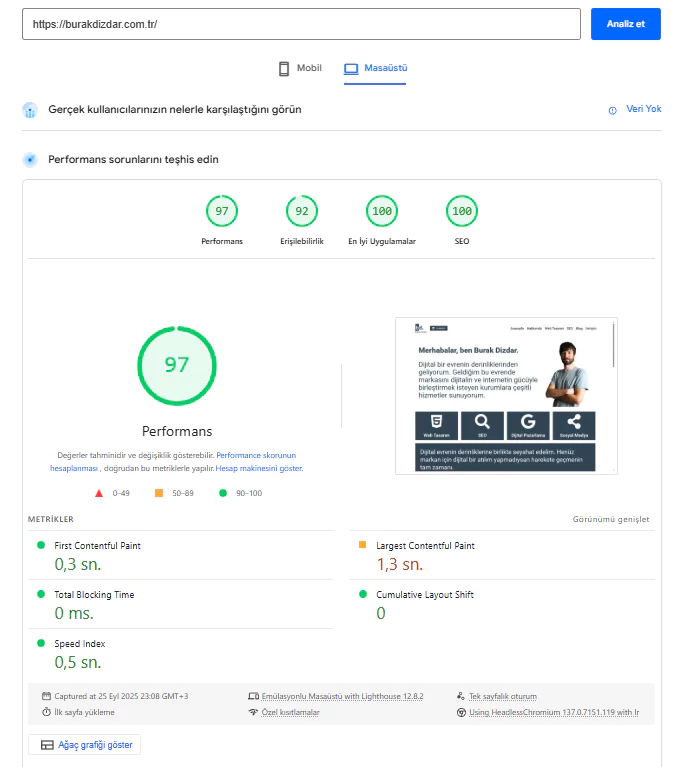
Last week, a test we ran with PageSpeed Insights on a client’s WordPress site revealed that oversized images and unnecessary JavaScript code were seriously dragging down performance. After we fixed these issues, the mobile performance score rose from 45 to 87.
The key metrics to watch in PageSpeed Insights:
- Largest Contentful Paint (LCP): Shows how quickly the main content loads. The ideal time is under 2.5 seconds.
- First Input Delay (FID): Measures how quickly the site responds when a user interacts with it. Under 100ms is excellent.
- Cumulative Layout Shift (CLS): Measures how much visual elements shift around while the page loads. Under 0.1 is the ideal value.
GTmetrix
GTmetrix, one of the favorite tools of professional web developers, lets you visualize your site’s loading in real time. With waterfall analysis, you can clearly see how long each file takes to load and which resources create bottlenecks.
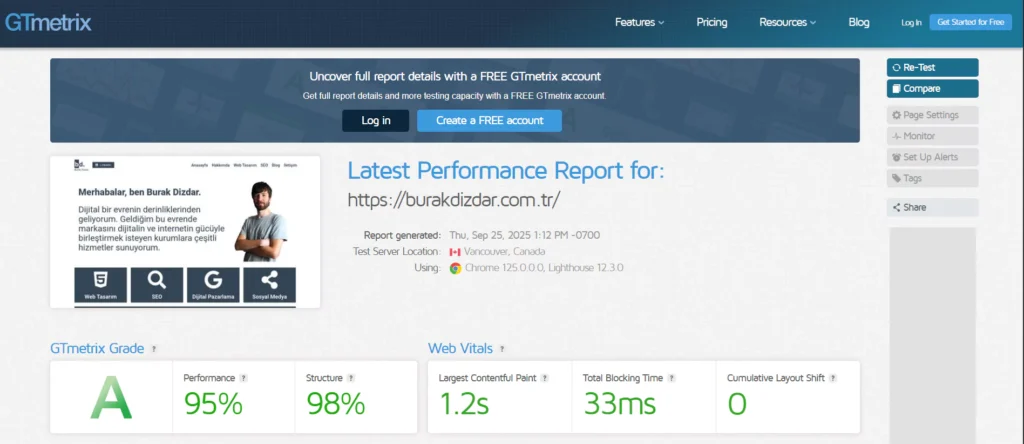
One of GTmetrix’s greatest strengths is the ability to test from different locations and at different connection speeds. For example, for a WordPress site with international customers, you can run separate tests from London, Tokyo and New York to analyze the user experience in different markets.
Important metrics to look at when using GTmetrix:
- Performance Score: Your overall performance score
- Web Vitals: Google’s core web vitals
- Total Blocking Time: The total time that blocks user interaction
- Fully Loaded Time: The time it takes for the site to load completely
WebPageTest
For advanced analysis, WebPageTest is one of the most comprehensive tools available. Offering the most detailed technical data, it tests how your site performs in different browsers, on different devices and at different connection speeds.
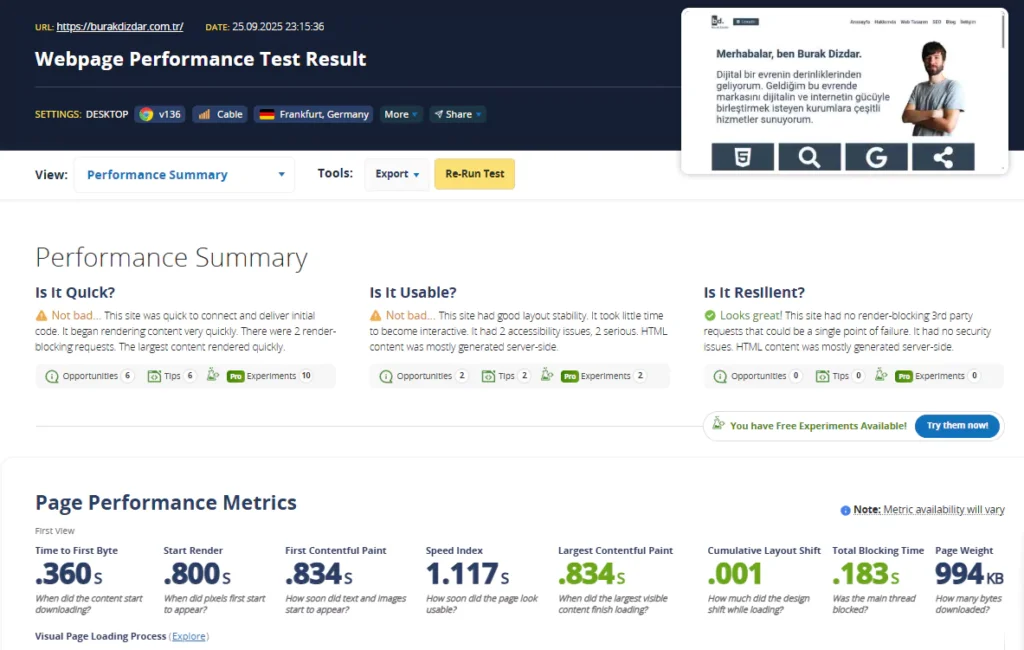
Last month, I used WebPageTest for a large corporate client to analyze how CDN configurations differ in global reach. As a result, by optimizing the CDN nodes in different regions, we improved load times for users in the Far East by 40%.
Some of the unique features WebPageTest offers:
- Running and comparing multiple tests
- Examining the page loading process step by step with the filmstrip view
- Detailed reporting of first view, first interaction and full load times
- Measuring server response times with TTFB (Time To First Byte) analysis
Lighthouse (Chrome DevTools)
Integrated into the Google Chrome browser, Lighthouse lets you run a quick evaluation of any website in terms of performance, accessibility, SEO and best practices. Its biggest advantage is that it can be used even in a local development environment, so you can test changes before taking them live.
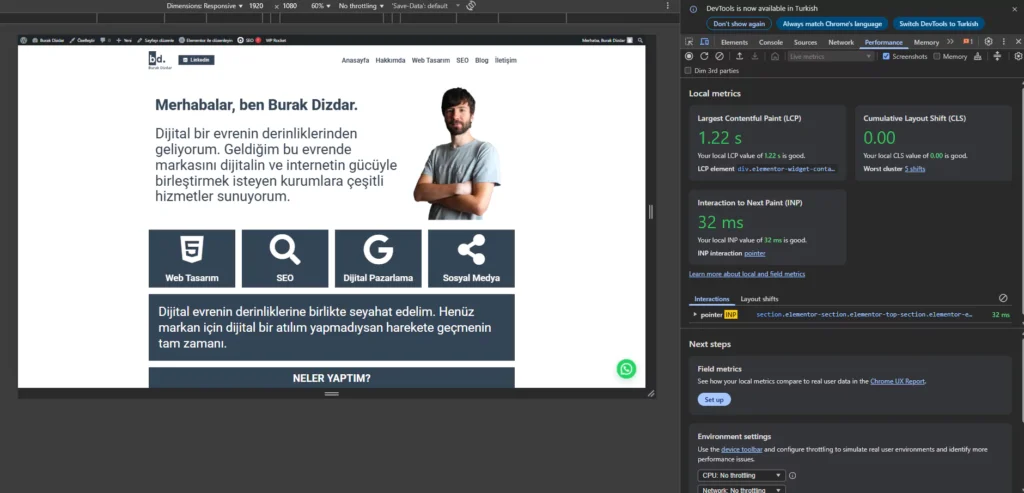
As a WordPress theme developer, I test every new theme with Lighthouse before releasing it. On an e-commerce theme I developed last month, the Lighthouse reports helped me split large JavaScript files and apply lazy loading, which gave a 45-point improvement.
The 5 main categories Lighthouse offers:
- Performance: Site speed and loading metrics
- Accessibility: How accessible your site is to users with disabilities
- Best Practices: Compliance with modern web standards
- SEO: Search engine optimization factors
- Progressive Web App: Compliance with PWA standards
How to Interpret Performance Test Results and Make Improvements
After running performance tests, you may be confused about how to interpret the findings and which steps to take. Based on my 10 years of experience, here are the steps you should take to improve a website’s performance:
Image Optimization
One of the problems I come across most often in test results is unoptimized images. In tests on a real estate site last week, we found that 70% of the page size consisted of uncompressed images. Once we optimized them, the page load time dropped from 5.2 seconds to 1.9 seconds.
For image optimization:
- Use modern image formats such as WebP
- Upload images at the right dimensions (use them at the size they were uploaded)
- Use automatic compression plugins for WordPress such as Smush or ShortPixel
- Apply lazy loading to images that are not in the visible area
Caching and Compression
For a fast WordPress site, properly configuring caching and compression mechanisms is essential. In a project for an e-learning platform, we reduced page load time for returning visitors by 60% simply by optimizing the browser cache settings.
Effective caching strategies:
- Use GZIP or Brotli compression at the server level
- Install comprehensive caching plugins for WordPress such as WP Rocket or W3 Total Cache
- Set the browser cache duration for static content to at least 1 week
- Define suitable conditional caching strategies for dynamic content
JavaScript and CSS Optimization
One of the biggest performance problems on modern websites is unnecessary code load. WordPress themes and plugins in particular often load JavaScript and CSS files that are not needed. In an analysis of a client’s blog, we found that 15 different JavaScript libraries were being loaded, but only 4 of them were actually in use.
For code optimization:
- Minify and combine JavaScript and CSS files
- Defer non-critical JavaScript loading
- Remove unnecessary plugins or replace them with lighter alternatives
- Load the required code only on the pages where it is needed (conditional loading)
Conclusion: Continuous Monitoring and Improvement
Website performance optimization is not a task you do once and forget, but a process that requires continuous monitoring and improvement. I always tell my clients: “Performance testing is not a race, it is a lifestyle.” Whenever you add new content, a plugin or a feature to your site, be sure to test its impact on performance.
Repeat your performance tests at least once a month and run comparative analyses against your competitors. To understand your users’ real experiences, also check the page speed data in Google Analytics regularly.
Improving your website’s performance is no longer just a technical necessity, it has become a strategic investment that directly affects user experience and your business success. By using the tools we introduced today, you can unlock your site’s true potential and offer your visitors a flawless experience.
Do you have questions about performance tests? Do you need professional support to speed up your site? You can reach us through our Contact page. Start discovering your website’s potential today!