
Using the WordPress REST API: Open the Door to Modern Web Applications!
Ten years ago, the only thing that came to mind when I heard the word WordPress was simple blog sites. Today, however, everything has changed. The REST API, which was merged into WordPress Core in 2016, has turned this open-source CMS from a simple blogging platform into a full-fledged application development framework. In the projects I have built over the past few years, I have experienced first-hand just how powerful the REST API is.
When you want to connect your WordPress site to external applications, build mobile apps or offer a completely different frontend experience, the WordPress REST API acts like a bridge. An indispensable part of modern web applications, this technology pushes the boundaries of the WordPress ecosystem and opens up new opportunities.
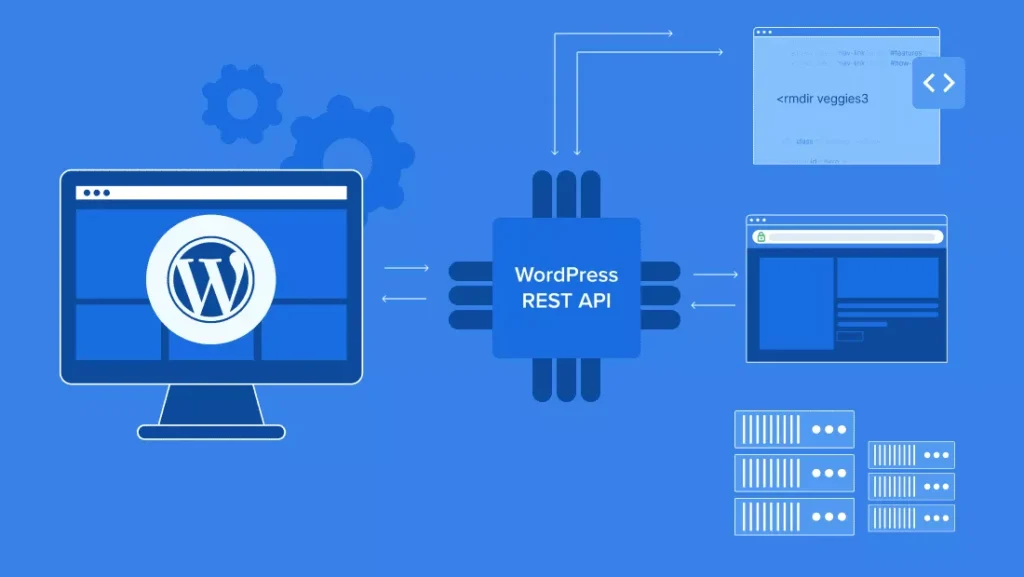
What Is the WordPress REST API and Why Does It Matter?
The REST API (Representational State Transfer Application Programming Interface) is, put simply, an interface that lets you access your WordPress content programmatically. Working over the HTTP protocol, this API serves the content in your WordPress database in JSON format and allows external applications to interact with that content.
The importance of the REST API shows in the following points:
- Headless CMS Approach: You can use WordPress solely for content management and build the frontend with modern JavaScript frameworks such as React, Vue or Angular.
- Mobile App Integration: You can connect your WordPress site to native or hybrid mobile apps.
- Third-Party Service Integrations: You can exchange data with CRM systems, email marketing tools or analytics platforms.
- Multi-Platform Publishing: You can distribute content to different platforms from a single content repository.
How the REST API Works: The Basic Principle
The WordPress REST API works through HTTP requests. Using the standard HTTP methods (GET, POST, PUT, DELETE), it lets you read, create, update and delete data in your WordPress database. All data exchange happens in JSON format, which means it can be easily processed by almost every modern programming language.
To access REST API endpoints on a WordPress site, the following format is generally used:
https://siteadi.com/wp-json/wp/v2/postsThis URL returns all published posts on your site in JSON format. Here, the “wp/v2” part indicates the namespace and version of the API, while “posts” indicates the type of resource you want to access.
WordPress REST API Endpoints
The WordPress REST API provides ready-made endpoints for the core content types:
- Posts:
/wp-json/wp/v2/posts - Pages:
/wp-json/wp/v2/pages - Categories:
/wp-json/wp/v2/categories - Tags:
/wp-json/wp/v2/tags - Users:
/wp-json/wp/v2/users - Media:
/wp-json/wp/v2/media
In addition, custom post types and custom fields can also be accessed through the API.
Example Use Cases
I have used the REST API in a variety of ways in the projects I have built. Here are some practical examples:
A Headless WordPress Application with React
For a corporate client, we used WordPress purely for content management and built the frontend with React. This approach allowed us to deliver an extremely fast and interactive user experience. Here is a simple React code example:
import React, { useState, useEffect } from 'react';

function Posts() {
const [posts, setPosts] = useState([]);

useEffect(() => {
fetch('https://siteadi.com/wp-json/wp/v2/posts')
.then(response => response.json())
.then(data => {
setPosts(data);
});
}, []);

return (
<div>
{posts.map(post => (
<div key={post.id}>
<h2 dangerouslySetInnerHTML={{ __html: post.title.rendered }} />
<div dangerouslySetInnerHTML={{ __html: post.excerpt.rendered }} />
</div>
))}
</div>
);
}
Providing Content to a Mobile App
For an e-commerce client, we manage the product database with WordPress and WooCommerce and supply product data to their mobile apps through the REST API. This way, content management is easy to do in WordPress, while customers can access products through the mobile app.
Automatic Content Synchronization
For a media organization publishing on several platforms, we developed a system that automatically pushes content produced in WordPress to social media platforms and email newsletters through the REST API. This significantly reduced the workload of the content team.
Creating Custom REST API Endpoints
One of the strongest aspects of the WordPress REST API is that you can create your own custom endpoints. This can provide a solution for special needs that the standard endpoints do not cover. Here are the basic steps for creating a custom endpoint:
- Define a new route using the register_rest_route() function
- Create a callback function that will handle the request
- Configure permissions and parameters if needed
Sample custom endpoint code:
function ozel_api_init() {
 register_rest_route('ozel-api/v1', '/ozetler/', array(
 'methods' => 'GET',
 'callback' => 'ozel_ozet_getir',
 'permission_callback' => '__return_true'
 ));
 }

add_action('rest_api_init', 'ozel_api_init');

function ozel_ozet_getir() {
$posts = get_posts(array(
'posts_per_page' => 5,
'post_status' => 'publish'
));

$sonuclar = array();

foreach($posts as $post) {
$sonuclar[] = array(
'id' => $post->ID,
'baslik' => $post->post_title,
'ozet' => wp_trim_words($post->post_content, 20),
'tarih' => $post->post_date
);
}

return $sonuclar;
}
WordPress REST API Security
Security is extremely important when using the REST API. By default, the WordPress REST API keeps some endpoints publicly accessible, while others require you to be logged in. However, depending on your project’s needs, you may have to take additional security measures.
Some security measures you can apply are:
- Authentication: Use secure authentication methods such as JWT (JSON Web Token) or OAuth2
- API Keys: Create custom API keys to control access to the API
- CORS (Cross-Origin Resource Sharing): Restrict which domains can access your API
- Rate Limiting: Limit the number of requests within a given time period
Installing and using a JWT authentication plugin, for example, can be a good starting point for protecting your API. You can also disable some endpoints entirely or restrict access to specific user roles.
Conclusion
The WordPress REST API is a very powerful feature that solidifies WordPress’s place in the world of modern web development. It is an excellent tool for building projects that go beyond traditional WordPress sites, integrating your existing site with external applications, or creating entirely new digital experiences.
In more than seven years of experience as a WordPress developer, I have seen the REST API solve many difficult problems and give my clients a competitive advantage. If you also want to take WordPress a step further and build mobile apps, SPAs (Single Page Applications) or custom integrations, I strongly recommend that you start learning and using the REST API.
Are you using the REST API in your projects? What challenges have you run into? Share your experiences and questions in the comments, and let’s discuss them together.