
For those who want to step into the world of ecommerce, WooCommerce offers an ideal solution that combines with the power of WordPress. With online shopping habits growing rapidly and digital transformation gaining momentum, owning an ecommerce site is no longer a goal reserved for large companies; small and medium-sized businesses can reach it too.
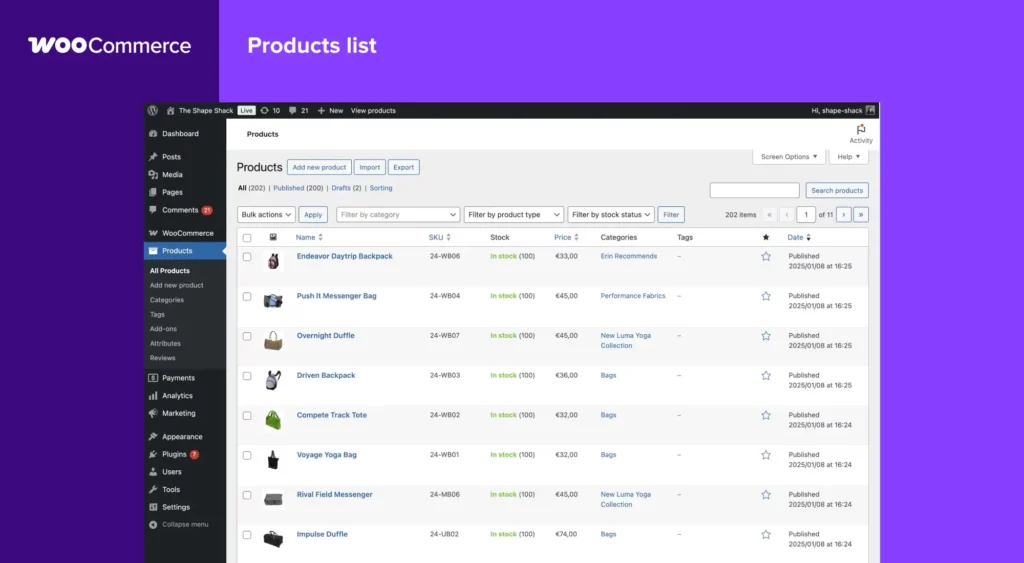
Thanks to the advantages and ease of use WooCommerce offers, even entrepreneurs with limited technical knowledge can set up and run their own online store. This platform is not just a simple product sales system; it also provides the full range of professional ecommerce features, such as inventory management, customer relations, marketing tools and detailed reporting.
In this comprehensive guide, we will walk through the process of building a professional ecommerce website from scratch. From choosing hosting to integrating a payment system, and from SEO optimization to security measures, we will explain every step with practical examples.
What Is WooCommerce and Why Choose It?
WooCommerce is a free ecommerce plugin built for WordPress. Since its release in 2011, it has been used by millions of online stores worldwide, and with its flexibility and ease of use it has risen to a leading position in the ecommerce world. Combined with WordPress’s 40% market share, WooCommerce provides a strong and reliable foundation for ecommerce sites.
This platform is an ideal solution especially for small and medium-sized businesses. Unlike traditional ecommerce platforms, WooCommerce has a fully modular structure. This means you can start with a basic online store and add features over time as your needs change. That way you keep your initial costs low and can grow your site alongside your business.
One of WooCommerce’s biggest advantages is that it draws on WordPress’s huge ecosystem. The thousands of themes, plugins and developer support available for WordPress let WooCommerce sites benefit from these rich resources as well. And thanks to WordPress’s powerful content management features, you can do more than sell products: you can strengthen your site with blog posts, corporate pages and SEO-focused content.
Advantages of WooCommerce
Cost Efficiency: Because it is open source, it requires no license fee. You only pay for hosting, a domain and premium plugins.
Flexibility and Customization: With thousands of theme and plugin options, you can shape your site to fit your needs.
SEO-Friendly Structure: It inherits WordPress’s SEO advantages and helps you rank better in search engines.
The Process of Building an Ecommerce Website with WooCommerce
1. Choosing Hosting and a Domain
The most fundamental point in the process of building an ecommerce website with WooCommerce is quality hosting. Choose hosting plans optimized for WooCommerce. An SSL certificate, daily backups and 24/7 technical support are features you absolutely need.
When choosing a domain name, go for a short, memorable name that reflects your brand identity. The .com extension is still the most popular choice when it comes to credibility.
2. Installing WordPress
Most hosting providers offer one-click WordPress installation. After installing, configure your security settings and use strong passwords. Keeping WordPress up to date is critically important for security.
3. Installing and Configuring WooCommerce
In your WordPress admin panel, go to the “Plugins” section and search for “WooCommerce”. After installation, the setup wizard that starts will guide you through the basic settings.
Basic Settings:
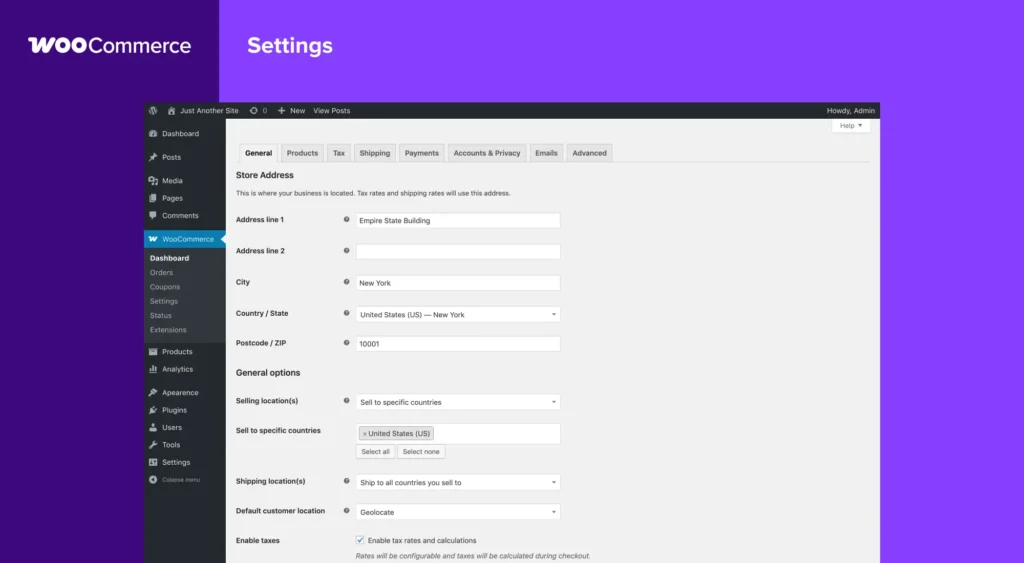
- Store location and currency
- Payment methods (credit card, bank transfer, cash on delivery)
- Shipping options and pricing
- Tax settings
4. Choosing a Theme and Design
When choosing a theme for an ecommerce site, prioritize mobile compatibility, loading speed and WooCommerce compatibility. WooCommerce’s official theme, such as Storefront, is a safe starting point.
When customizing the theme, put user experience first. Easy navigation, clear product images and a fast checkout process increase customer satisfaction.
5. Adding Products and Organizing Categories
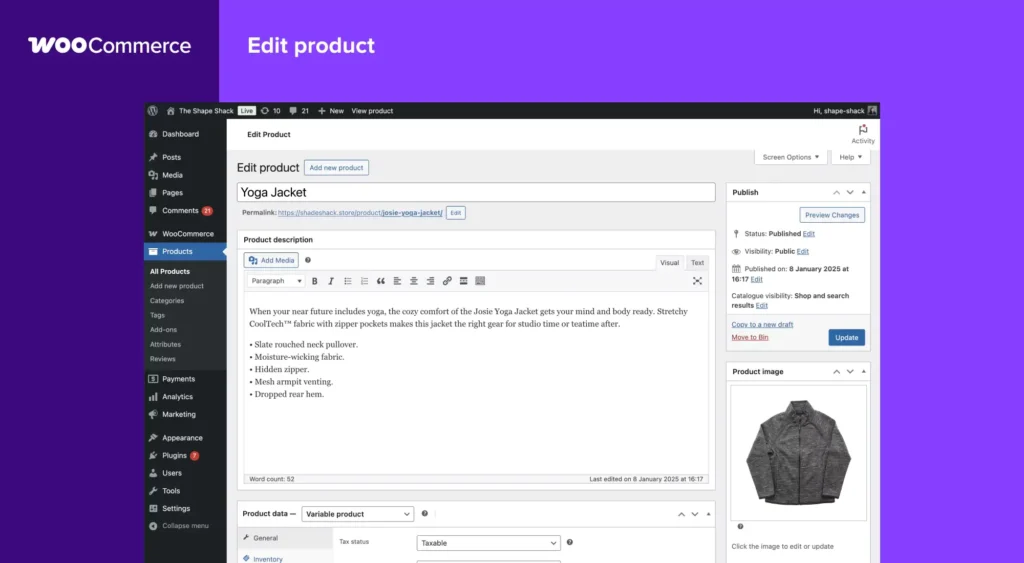
Organize your products systematically. For each product, provide:
- High-quality images
- Detailed descriptions
- SEO-friendly titles and meta descriptions
- Category and tag assignments
Use the variable product feature for product variations (color, size, model).
6. Payment System Integration
For ecommerce sites operating in Turkey, reliable payment solutions are critically important. Integrate with local payment providers such as PayTR, iyzico and Garanti Sanal POS (Garanti’s virtual POS service).
Installing an SSL certificate and complying with PCI DSS are important factors that increase customer trust.
7. Shipping and Logistics Settings
Use suitable plugins to integrate with shipping companies. The official plugins of carriers such as Aras Kargo, Yurtiçi Kargo and PTT offer automatic shipping calculation and tracking.
You can raise your average cart value by setting a free shipping threshold.
SEO and Performance Optimization
Technical SEO Settings
Optimize your product pages with WooCommerce SEO plugins. Plugins such as Yoast SEO or RankMath support structured data markup and XML sitemap generation.
Page Speed Optimization
On ecommerce sites, loading speed directly affects conversion rates. Improve your site speed with image optimization, caching plugins and a CDN.
Security and Maintenance
Regular backups, installing security plugins and keeping track of updates keep your site running at all times. Two-factor authentication and strong password policies add extra layers of security.
Conclusion
Building an ecommerce website with WooCommerce delivers successful results with proper planning and careful execution. By following the steps outlined in this guide, you can create a professional online store. Remember that a successful ecommerce site needs continuous optimization and improvement after launch.
By putting the customer experience first, paying attention to technical details and applying your marketing strategies correctly, you can lead your WooCommerce site to success.