
Last week a client I have worked with for a long time called me and said, “I’m tired of dealing with ready-made themes. I keep seeing the same looks over and over. I want a completely custom theme made for our own brand.” This request actually reflects a trend that has been growing in recent years. Businesses are now looking for original solutions to set their digital identity apart from their competitors.
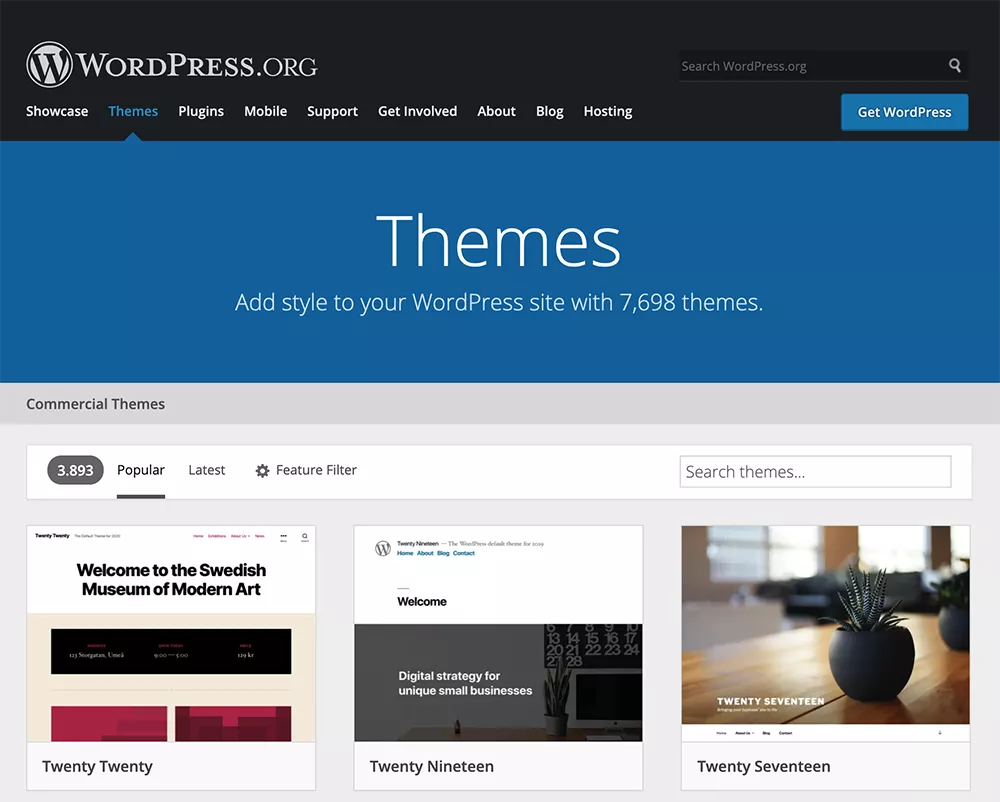
Brands lost among the thousands of ready-made WordPress themes are turning to original designs that let them express themselves. Although custom theme development may look complicated at first glance, with the right approach and systematic work you can achieve very productive results. In this post, I will cover how you can develop a custom WordPress theme from scratch, which steps you should follow, and the difficulties you may run into along the way.
Preparing for the Custom Theme Development Process
Before you start your theme development journey, it is critical to lay a solid foundation. Many developers skip this stage and jump straight into coding, but in my experience this approach leads to wasted time in the long run.
First, you need to set up your local development environment. You can install WordPress on your computer with solutions such as XAMPP, WAMP or Local by Flywheel. I especially prefer Local by Flywheel because it simulates a real server environment with SSL support and easy domain configuration.
In the design process, start by creating your wireframes on paper or in design tools such as Figma or Adobe XD. Plan which pages you will need, what kinds of content sections each page will have, and the overall navigation structure. I recommend having plenty of discussions with your client or your team at this stage.
You will also need to make some decisions about the technical foundation. Will you use a CSS framework? Bootstrap, or will you write CSS from scratch? What are your JavaScript requirements? Making these decisions in advance helps you stay consistent during development.
Basic File Structure and WordPress Standards
Following certain standards in WordPress theme development matters both for being able to publish on theme marketplaces and for maintaining the theme in the future. When building your theme’s basic file structure, you should stick to the rules in the WordPress Codex.
Start with the required files, index.php and style.css. Do not forget to add the header comment containing your theme information at the top of your style.css file. This information will be displayed when selecting a theme in the WordPress admin panel.
The functions.php file is the brain of your theme, so to speak. Here you will activate theme support features, define menu areas, and enqueue your CSS and JavaScript files. Using the wp_enqueue_script and wp_enqueue_style functions correctly is critical for theme performance.
Do not forget to add the wp_head() and wp_footer() hooks in your header.php and footer.php files as well. These hooks allow WordPress and plugins to include the code snippets they need in your theme files. Otherwise, many plugins may not work properly.
When creating page templates, it is also important to understand WordPress’s template hierarchy system. WordPress first looks for the most specific template and, if it cannot find one, moves on to the more general templates. For example, the single-product.php file is used for the custom post type called product, while single.php is used for general blog posts.
Responsive Design and Modern Standards
As of 2024, we are in an era where traffic from mobile devices exceeds 60%. For this reason, I strongly recommend developing your theme with a mobile-first approach. Designing for small screens and then expanding to larger ones is both more practical and gives better-performing results.
You should actively use modern layout techniques such as CSS Grid and Flexbox. CSS Grid is an ideal solution especially for complex layouts, and Flexbox for one-dimensional arrangements such as blog posts and product lists. I recommend avoiding the use of floats.
You should also be careful about performance optimization. Minify your CSS and JavaScript files and reduce unnecessary HTTP requests. Use WordPress’s built-in lazy loading feature or set up your own lazy loading system. Do not forget to support the WebP format for images.
Compliance with accessibility standards has also become a necessity. Use semantic HTML, add alt texts, and support keyboard navigation. Implement ARIA labels correctly for screen reader users.
Customization and Admin Panel Integration
Modern WordPress themes should offer users extensive customization options. You can create settings panels for your theme using the WordPress Customizer API. Basic customization options such as color pickers, font choices and logo upload fields significantly improve the user experience.
Working in harmony with the Gutenberg editor is also critically important. Define custom block styles, set your editor color palette, and specify font size options. This way your users can see the design they see in the editor on the frontend in exactly the same way.
Define widget areas with the register_sidebar() function. Footer widgets, sidebars and custom widget areas increase the flexibility of your theme. Do not forget to call dynamic sidebars at the right positions in your template files.
Supporting custom post types is also an important requirement today. With the add_theme_support() function you can activate features such as post-thumbnails, custom-header and custom-background. If you will be working in compatibility with popular plugins such as WooCommerce, you should also add the relevant theme supports.
Testing and Optimization Process
One of the most critical stages of the theme development process is comprehensive testing. You should test your theme in different browsers, on different devices and with different content densities. Actively use tools such as Chrome DevTools and Firefox Developer Edition.
I recommend downloading WordPress’s Theme Unit Test data and using it in your theme. This data set includes various post types, image sizes and content structures. It provides an excellent test environment for making sure your theme works properly in every situation.
For performance tests, use tools such as GTmetrix, PageSpeed Insights and Pingdom. Check the size of your theme files and clean up unnecessary CSS rules. By applying the critical CSS technique, you can make above-the-fold content load faster.
To test SEO compatibility, check your schema markup and confirm that your meta tags work correctly. Do not forget to test compatibility with popular SEO plugins such as Yoast SEO and Rank Math.
Conclusion and Recommendations
Developing a custom WordPress theme may look challenging at the beginning, but with a systematic approach it is a process in which you can achieve very successful results. The originality and level of control you cannot get with ready-made themes will more than repay your investment in the long run.
Throughout the process, remember to stay true to WordPress standards, use modern web technologies and put user experience first. Get into the habit of testing regularly and always stay open to feedback.
If you need support with theme development or want to customize your existing theme, working with an experienced WordPress developer will be the right approach for both time and quality. Remember that a good theme does not just look beautiful; it must also be fast, secure and SEO-friendly.